Databox CLI
Databox CLI is a free, open-source command-line interface for Databox that brings analytics into the terminal: pipe JSON into datasets, build metrics and let AI coding agents manage your setup with 10 ready-to-use skills.
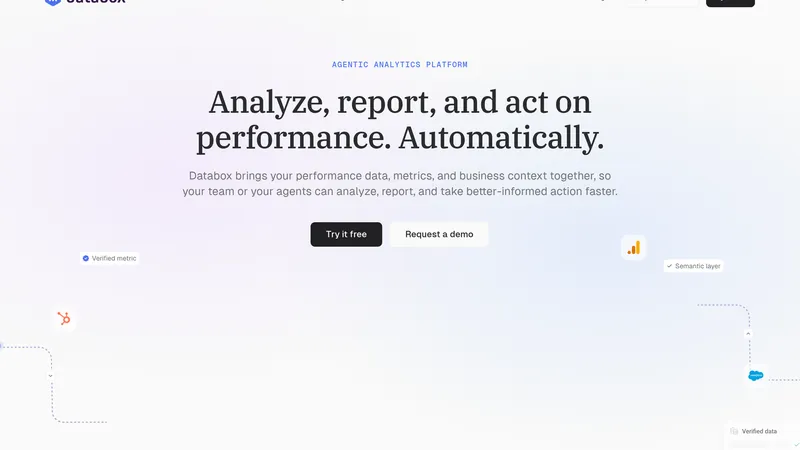
Databox CLI Review: Your Agentic Analytics Platform in the Terminal
Most reporting work still means clicking through dashboards. You export a CSV, paste it into a chat, and get an answer that changes every time you ask. Databox CLI takes a different route: it puts the whole Databox analytics platform in your terminal, where scripts, cron jobs and AI coding agents can do the work for you.
Databox CLI launched on Product Hunt on November 9, 2026, finishing #3 of the day. It is a free, MIT-licensed command-line interface for Databox, the agentic analytics platform used by more than 20,000 businesses. If it prints JSON, you can pipe it straight into a Databox dataset.
What is Databox CLI?
Databox CLI is the command-line interface for Databox. It exposes the Databox API through 91 commands, so you can create data sources, load data, build metrics, manage databoards, users and client accounts without opening the app. It runs on macOS, Windows and Linux with Node.js 18 or newer, and it works on every Databox plan, including the free one.
What makes it more than a thin API wrapper is the agent layer. The CLI ships with 10 ready-to-use agent skills, so AI coding agents such as Claude Code, Cursor and Codex can set up and maintain your Databox workspace by running the CLI themselves, instead of you translating every request by hand.
Key Features
1. 91 Commands for the Full Platform
Data sources, datasets, data ingestion, custom metrics, databoards, users and client accounts are all manageable from the terminal, with JSON or CSV output and clear exit codes for scripts.
2. Pipe Any JSON Into a Dataset
If a script prints JSON, one command pushes it into Databox. Push data from cron jobs, CI pipelines and ad-hoc scripts without building a connector first.
3. 10 Agent Skills Included
Installable skills teach Claude Code, Cursor and Codex how to use the CLI, so an agent can create datasets, define metrics and wire up a dashboard while you review the result.
4. Governed Metrics, Not Guesses
Databox defines each metric once, so revenue, pipeline and CAC mean the same thing in every dashboard, report and AI answer. Every figure traces back to its source system and timestamp.
5. Built for Automation
Clear exit codes, machine-readable output and a standard install (npm install -g databox-cli) make the CLI easy to drop into scripts, scheduled jobs and agent workflows.
How It Works
Install the CLI from npm, create a Databox API key, and you are ready. Push data with a single command, or describe what you need and let your coding agent run the setup through the bundled skills. Because the CLI talks to the same governed metric layer as the Databox web app, anything you build in the terminal shows up in your dashboards, scorecards and AI analyst answers immediately.
Who Should Use Databox CLI?
- Data analysts: Automate recurring data loads and metric definitions instead of rebuilding them by hand.
- Agencies: Script client reporting across accounts and keep every client on the same metric definitions.
- Developers: Push application and product data into Databox from CI and cron without a custom integration.
- AI consultants: Give coding agents a governed data layer to reason over, instead of loose CSV exports.
- RevOps and growth teams: Let agents maintain the analytics setup while the team focuses on decisions.
Pricing
Databox CLI itself is free and open source under the MIT license, and it works on every Databox plan. Databox offers a free-forever plan with no credit card required, and paid plans that scale with data sources, seats and AI credits. You only pay Databox if you need more than the free plan provides; the CLI never adds a separate charge.
Databox CLI Pros and Cons
Pros
- Free and open source, with no paywall on the CLI itself.
- 91 commands cover the whole platform, not just data upload.
- Agent skills make it genuinely useful for AI coding workflows.
- Metrics stay governed and traceable, so AI answers stay consistent.
Cons
- Requires a Databox account; the CLI is not a standalone analytics tool.
- A terminal-first workflow has a learning curve for non-technical users.
- The depth of what you can analyze depends on the sources you connect.
- Agent skills need a compatible coding agent such as Claude Code, Cursor or Codex.
Final Verdict
Databox CLI is the missing keyboard shortcut for Databox users. It turns analytics setup from a series of clicks into something you can script, schedule and hand to an AI agent, while the governed metric layer keeps the numbers trustworthy.
If you already use Databox, or you want your coding agents to work with real business data instead of stale exports, install the CLI and let your terminal do the reporting work.
FAQ
Frequently asked questions
What is Databox CLI?
Databox CLI is a AI tool listed on aifly.tools that adds new capabilities to your AI coding agent. See the description and screenshots above for what it does.
How do I install Databox CLI?
Click the Visit button below to open the official website and sign up there.
Is Databox CLI free?
Yes — Databox CLI is free to install. Some skills may still need an API key for the underlying service they call.
How do I update Databox CLI?
Open the official website with the Visit button below and check for the latest version there.