Omnigraph
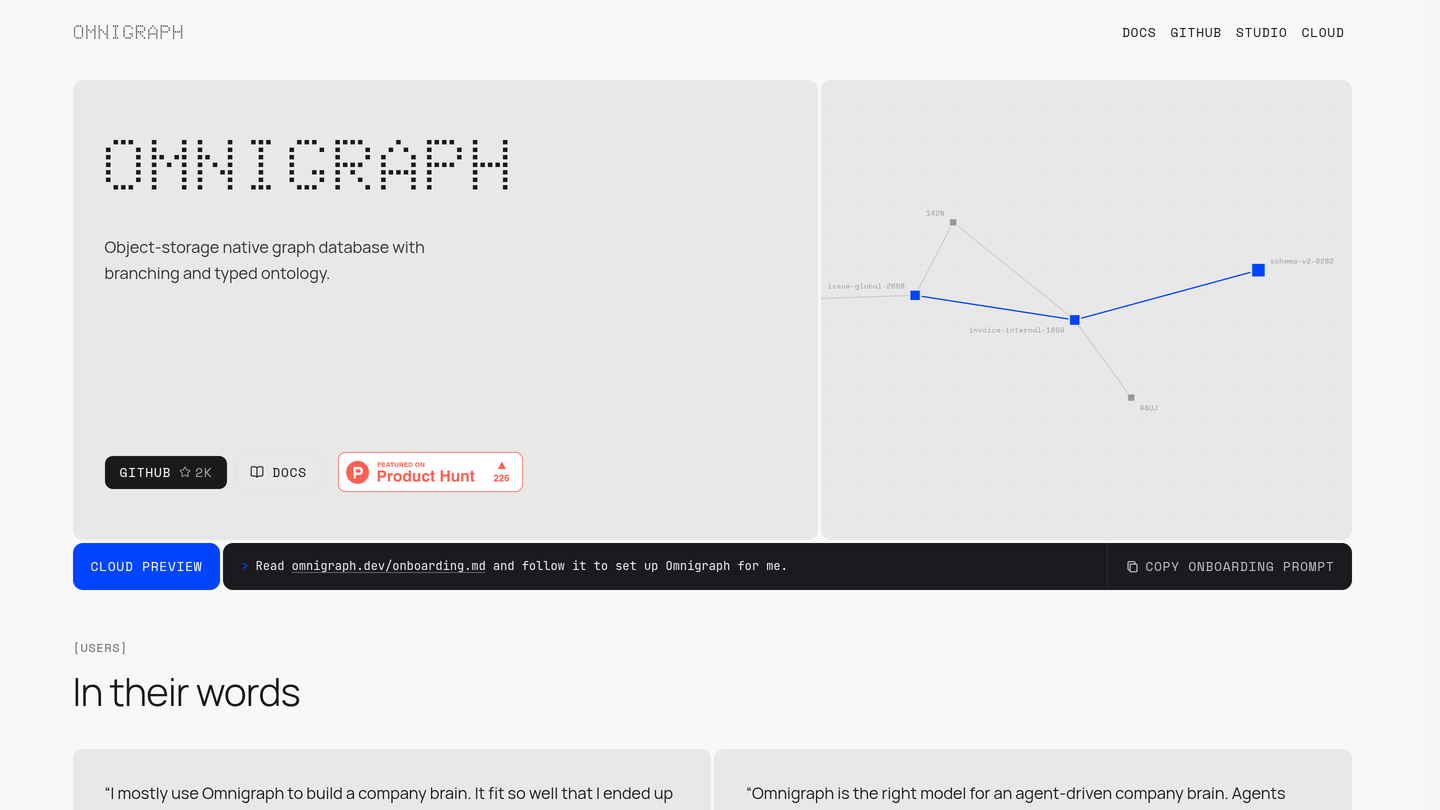
Omnigraph is an open-source, object-storage native graph database with branching and a typed ontology, built for AI agents that share knowledge safely. MIT-licensed with over 2,000 GitHub stars. Launched on Product Hunt on November 12, 2026 as the number three product of the day.
Omnigraph Review: The Open-Source Graph Database That Gives AI Agents a Memory They Can Trust
Give two coding agents the same project and they will both do good work, until they write to the same knowledge at the same time. One overwrites the other, a decision is recorded without its reason, and nobody can say what the agent knew or when it knew it. As agents take on more real work, the missing piece is not a smarter model but a memory they can share safely. Omnigraph is a database built for exactly that problem.
Omnigraph launched on Product Hunt on November 12, 2026 and took the number three spot of the day with 226 upvotes. It is an open-source, object-storage native graph database with branching and a typed ontology, built by ModernRelay for AI agents that collaborate on shared knowledge. The project is MIT-licensed, currently at version 0.15.0, and has earned more than 2,000 GitHub stars, with developers already using it to build company brains and contributing support for new storage backends themselves.
What Is Omnigraph?
Omnigraph is a graph database designed around one idea: agents should work the way developers work, on branches, with review, before anything lands on main. Every agent forks main into its own branch, writes there in isolation, and merges back only through review, with a three-way merge and a full record of who changed what. Nothing reaches main without a diff somebody, human or agent, has approved.
Underneath, Omnigraph stores the graph as open Lance files in storage you own: S3-compatible storage, Azure Blob in preview, or a local disk. There is no hosted memory API and no proprietary storage to escape from later. On top of the graph it adds a typed schema, vector and full-text search, and policy enforcement inside the engine, so the same store answers graph traversal, similarity search and keyword search in a single query.
Key Features of Omnigraph
1. Git-style branches let agents collaborate without collisions
Claude Code and Hermes can each fork main into their own branch, write in isolation and merge in review order. The schema rejects malformed writes at the branch, the policy decides who can merge, and the commit graph records every change and its author. Two agents, one graph, no collisions, and every version stays readable, so you can see what an agent knew and when.
2. A typed schema checked on every write
All your agents share one model of the domain they work in, defined in a schema file, and every write is checked against it. A decision cannot be saved unless it links to the meeting it was made in. That sounds strict, and it is meant to be: the schema is what stops an agent from quietly recording a confident half-truth as fact.
3. Graph, vector and full-text search in one query
Omnigraph does vector, keyword and hybrid ranking over the same typed nodes you traverse, so there are no two stores to keep in sync. That makes it a natural fit for GraphRAG: store documents, chunks and the entities they mention as typed nodes with embeddings, then rank chunks by similarity and traverse to the related entities and sources, so the context you give the model comes with its connections attached.
4. Your data stays in storage you own
The graph lives as open columnar files in your own S3-compatible bucket, Azure Blob or local directory, and stays readable without Omnigraph. The engine is free and open source, so you pay only for your own storage and compute. For teams that want a managed option, Omnigraph Cloud is in private preview, offering a dedicated cluster with single sign-on, policy and audit.
5. MCP, SDKs and a visual Studio
Omnigraph serves MCP, so Claude, ChatGPT, Cursor or any MCP client can read the schema, run queries and, where your policy allows it, write. The CLI, TypeScript SDK and Python SDK cover the rest, and Studio is a GPU-rendered desktop app for macOS, Linux and Windows that visualises the ontology and graph, lets you inspect knowledge and review changes before they merge.
How It Works
Installation is one command that fetches the install script from the Omnigraph GitHub repository. You define a typed schema for your domain, people, teams, meetings, decisions and the edges between them, then load your seed data. Agents connect over MCP or the SDKs, each working on its own branch: create a branch, write nodes and edges, review the diff, merge. Cookbook templates give you a running start, with ready-made projects for industry intelligence, pharma intelligence, a company brain, a VC operating system, a beads-style work queue for coding agents and a personal second brain. When you are ready for managed hosting, the Cloud preview is the path, or you deploy embedded, in your own cloud account, or on your own servers.
Who Should Use Omnigraph?
- Teams running several coding agents at once: branches and review are the only sane way to let agents share a memory without overwriting each other.
- Builders of a company brain: one graph for people, projects, decisions and documents, with every claim linked to its source text.
- Agent memory for production systems: versioned memory per agent or task, with an audit trail for every change.
- GraphRAG and research graphs: hypotheses and results, reviewed, with retrieval that follows connections instead of guessing from text similarity alone.
- Teams that must own their data: open formats and self-hosting suit regulated environments and anyone who refuses a proprietary memory store.
Pricing
Omnigraph is free and open source under the MIT licence. The engine, CLI and server cost nothing, and you pay only for your own storage and compute, whether that is a local disk, an S3-compatible bucket or Azure Blob. Omnigraph Cloud, the managed service run by the team, is in private preview, with a dedicated cluster, single sign-on, policy and audit, and no public pricing published yet. If you want a number on your invoice, self-hosting is the honest answer: the software is free, the storage is yours.
Pros and Cons
Pros
- Free and MIT-licensed, with data stored as open files in storage you own, so there is no lock-in.
- Git-style branching is the right model for multi-agent work, and the review step prevents silent overwrites.
- Typed schema plus in-engine policy stops malformed writes before they become shared knowledge.
- Graph, vector and full-text search in one query, with native MCP support for Claude, ChatGPT and Cursor.
- Real traction: more than 2,000 GitHub stars, a Rust engine, and users contributing backends upstream.
- Studio gives non-developers a visual way to inspect and review the graph.
Cons
- Omnigraph Cloud is still in private preview, so managed hosting is not something you can buy today.
- Self-hosting needs comfort with object storage and operations; it is not a one-click SaaS.
- The project is young at version 0.15.0, so APIs and the schema language may still change.
- A typed schema and policy engine add a learning curve compared with dropping documents into a plain vector store.
Final Verdict
Omnigraph is the database AI agents have been missing. Vector stores forget structure, wikis forget provenance, and shared files invite collisions. By giving agents branches, a typed schema and a merge review, Omnigraph brings the discipline of software engineering to agent memory, and by storing everything as open files in your own storage it does so without asking you to hand over your knowledge. The free, open-source engine is production-usable today for teams willing to self-host, and the Cloud preview is worth joining if you want it managed. If your agents share a memory, they should share it in Omnigraph.
FAQ
Frequently asked questions
What is Omnigraph?
Omnigraph is an open-source, object-storage native graph database with branching and a typed ontology, built for AI agents that share knowledge safely.