Nod by n8n
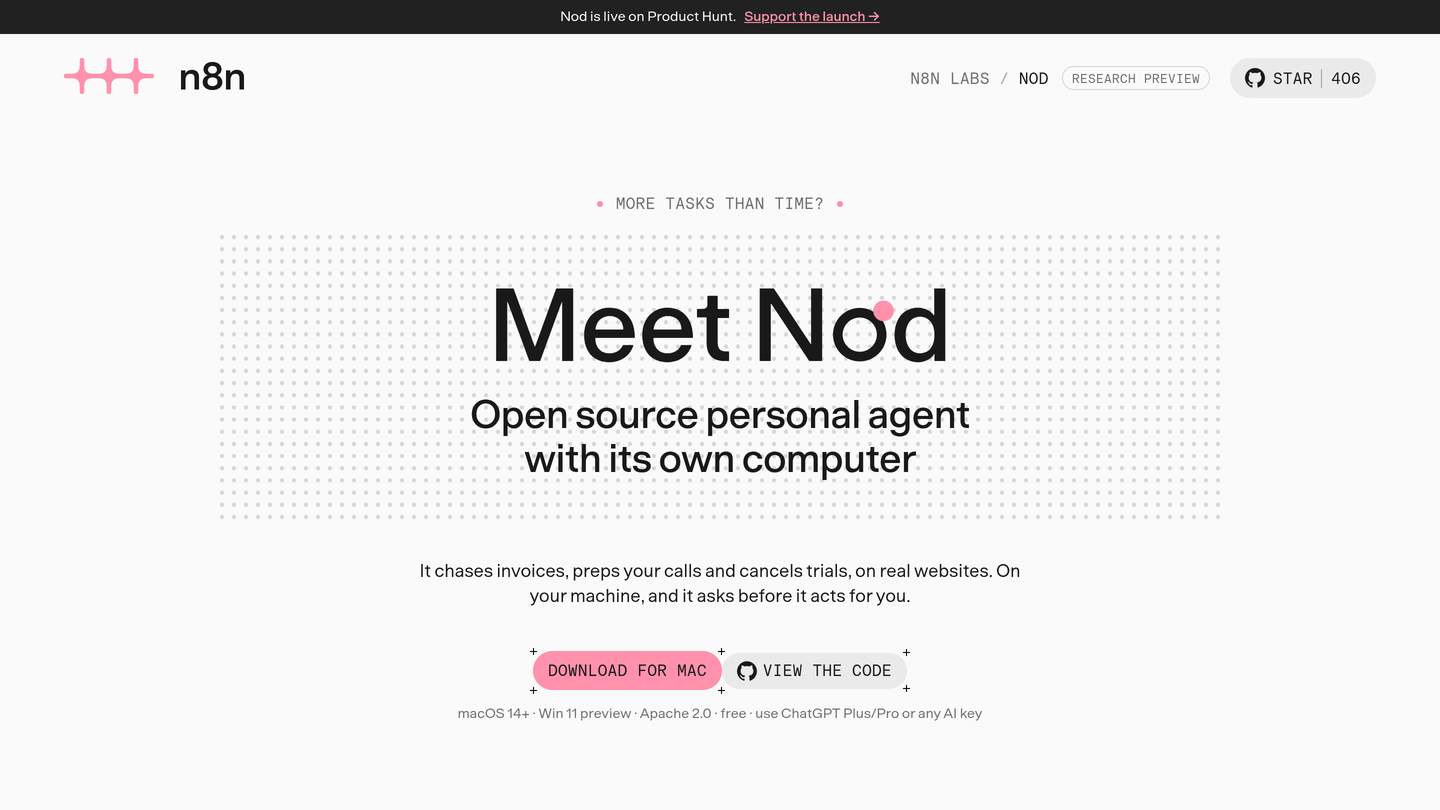
Nod by n8n is a free, open-source personal AI agent from n8n Labs. It runs in a private virtual machine with its own browser, connects to 200+ apps, and finishes real errands while asking before it sends, pays or books anything.
Nod by n8n Review: A Free Open-Source Personal AI Agent That Actually Does the Work
Most AI assistants are good at describing work. Ask one to chase an unpaid invoice, prep for a client call, or cancel a trial before it renews, and you get a plan, a checklist, and a polite offer to draft an email. The work itself is still yours. Nod by n8n was built to close exactly that gap: it is a personal AI agent with its own computer that finishes jobs start to end, on real websites, inside the apps you already use.
Nod by n8n launched on Product Hunt on November 11, 2026 and took the number one spot of the day. It comes from n8n Labs, the team behind the popular workflow automation platform n8n, but it is a separate, standalone desktop app: free to download, open source under the Apache 2.0 licence, and designed for one person rather than a whole company. It runs on your own machine, connects to Gmail, Slack, Notion, Drive and Calendar, and asks for your approval before it sends, pays, books, posts or deletes anything.
What Is Nod by n8n?
Nod is a personal agent that lives on your computer and does the errands that usually eat an afternoon of tabs, logins and forms. You tell it what you want in plain language, in the app or on Telegram, and it carries the job through: chasing an invoice until it is paid, preparing a one-page brief for each client call, watching a pricing page and telling you when it changes, cancelling a subscription and asking for a refund, or filing your month-end bank and tax statements by name.
Under the hood, Nod runs a private virtual machine with its own browser on your Mac or Windows PC. That is what lets it work on websites that have no API, using your saved logins, while your data, memory and logins stay on your machine. It is not the n8n AI Assistant and it does not require an n8n account. You bring your own AI provider: OpenAI, Anthropic, Google, OpenRouter, your ChatGPT Plus or Pro plan, or a local model through Ollama, LM Studio, vLLM or llama.cpp. Nod shows the estimated model cost of each task, so you always know what the work costs.
Key Features of Nod by n8n
1. An agent with its own computer
Nod runs in a private virtual machine with its own browser, so it can operate real websites the way you would: logging in, clicking through forms, downloading files and copying results. It connects to more than 200 apps and services, including Gmail, Slack, Notion, Google Drive and Calendar, and it works across them in a single job instead of stopping at the edge of one app.
2. It asks before it acts for you
Every action Nod takes is checked against your own words and rules. Routine steps run on their own, but anything that speaks for you, sending a message, paying, booking, posting or deleting, comes back to you for approval first. In n8n Labs simulated tests, Nod finished 98 percent of 678 runs across 226 errands and never sent, paid, booked, posted or deleted anything that had not been approved.
3. A memory that actually remembers
Nod scored 93.2 percent on LongMemEval, a benchmark for long-term memory, and recorded zero false memories across 216 WhisperBench tests, which check whether attack emails can plant false memories. Say once that Anna, not Bob, handles invoices, and it remembers. Every memory is visible: you can see, edit or forget each note, along with the message it came from. It also learns your writing style from emails you have sent, without storing names or numbers.
4. Your AI provider, your choice
Nod works with more than 30 AI providers, including OpenAI, Anthropic, Google and OpenRouter, or your existing ChatGPT Plus or Pro plan. You can also run a local model through Ollama, LM Studio, vLLM or llama.cpp, as long as it supports tool calling and a 64,000-token context. There is no lock-in to one model, and Nod displays estimated model costs in Usage so the price of each task stays visible.
5. Morning briefs and quiet monitoring
Every morning, Nod reads your threads, your calendar and a client latest news, then writes a one-page brief for each call, including what is still unanswered and what you should ask. It can also watch a page on a schedule, checking every few hours and speaking up only when something changes, for example when a client pricing page moves from three plans at 1,200 dollars to three plans at 1,500 dollars. It even learns how to do a task, reusing the steps and fixing them when a site changes.
How It Works
Setup takes about ten minutes. Install the app on your Mac with macOS 14 or later, on Windows 11 in preview, or on your own server, then add your AI provider and connect your apps with one sign-in. Save the logins Nod is allowed to use on websites, and then simply ask for something, in the app or over Telegram. Nod plans the job, works through it in its own browser, and checks each consequential action with you before it runs. Recurring jobs, like a pricing watch every six hours, run on a schedule while your machine is awake; to keep schedules running while a laptop is closed, you can run Nod on a server or a Mac mini that stays on.
Who Should Use Nod by n8n?
- Freelancers and solo founders who spend their mornings on invoices, follow-ups and client prep and want those jobs finished, not just listed.
- Small business owners who need someone to chase payments, file paperwork, track supplier portals and handle refunds and cancellations.
- Developers and open-source fans who want a personal agent they can inspect, modify and self-host under the Apache 2.0 licence.
- Privacy-conscious users who want their database, files, memory and saved logins to stay on their own computer, with usage sharing they can switch off.
- ChatGPT Plus or Pro subscribers who already pay for a plan and want to put it to work on real errands without buying another subscription.
Pricing
Nod is free to download, and the app itself costs nothing. You connect an AI service or a supported plan, and provider fees apply: you pay your chosen AI provider for the tokens each task uses, or use your existing ChatGPT Plus or Pro plan. Nod shows estimated model costs in Usage, so there are no surprise bills from the app side. Because it is open source under Apache 2.0, there is no paid tier, no seat pricing and no feature paywall in the app itself. Managed hosting, an always-on Nod without running your own server, is on the roadmap but not available yet.
Pros and Cons
Pros
- Free and open source under Apache 2.0, with the code public on GitHub
- Finishes real multi-step errands on actual websites, not just chat replies
- Strong safety design: approval before any send, payment, booking or deletion
- Excellent measured results: 98 percent task completion in simulated tests, 93.2 percent on LongMemEval, zero false memories in WhisperBench
- Works with 30 plus AI providers or a local model, with visible per-task costs
- Data, memory and logins stay on your own machine
Cons
- Research preview, currently around version 0.6, so expect rough edges and fast changes
- Needs your computer to stay on and awake; it cannot work while a laptop is asleep
- Windows 11 support is still in preview, and Mac users need macOS 14 or later
- You must supply your own AI provider or ChatGPT plan, so model fees apply on top
- Managed hosting and phone calls to businesses are roadmap items, not available yet
Final Verdict
Nod by n8n is the most convincing personal agent to launch in a long time, because it is judged on finished work rather than fluent chat. The combination of a private virtual machine, a real browser, 200 plus connections, approval before consequential actions, and memory that survives the week makes it genuinely useful for the admin that fills a freelancer or founder day. The research-preview label is honest: it needs an awake machine, and hosted operation is still to come. But for a free, open-source tool from the team behind n8n, with a number one Product Hunt launch and 400 plus GitHub stars within a day, Nod is an easy download and the first personal agent that feels like hiring help rather than chatting with a demo.
FAQ
Frequently asked questions
What is Nod by n8n?
Nod by n8n is a free, open-source personal AI agent from n8n Labs.