Supabase MCP
Supabase 官方 MCP 服务器:数据库、认证、存储与边缘函数,一次交给 AI Agent。
安装
传输方式: both
claude mcp add --scope project --transport http supabase "https://mcp.supabase.com/mcp?features=docs%2Caccount%2Cdatabase%2Cdebugging%2Cdevelopment%2Cfunctions%2Cbranching%2Cfeedback%2Cnotebooks"
工具列表 (40)
list_tables
List all tables in the database.
list_extensions
List available/installed Postgres extensions.
list_migrations
List database migrations.
apply_migration
Apply a database migration.
execute_sql
Execute SQL queries (destructive SQL asks for confirmation; read-only mode available).
query_logs
Run a read-only SQL query against project logs.
get_advisors
Get security and performance advisors.
get_project_url
Get the API URL for a project.
get_publishable_keys
Get publishable and legacy anon API keys for a project.
generate_typescript_types
Generate TypeScript types from the database schema.
list_edge_functions
List all Edge Functions.
get_edge_function
Get a specific Edge Function.
deploy_edge_function
Deploy an Edge Function.
create_edge_function_secret
Request secret entry in the Supabase Dashboard for an Edge Function.
list_projects
List Supabase projects in the account.
get_project
Get details of a Supabase project.
create_project
Create a new Supabase project (cost confirmation required).
pause_project
Pause a Supabase project.
restore_project
Restore a paused Supabase project.
list_organizations
List organizations in the account.
get_organization
Get details of an organization.
get_cost
Get cost information for a resource before creating it.
confirm_cost
Confirm a quoted cost so creation can proceed.
search_docs
Search the Supabase documentation.
create_branch
Create a database branch (experimental).
list_branches
List database branches (experimental).
delete_branch
Delete a database branch (experimental).
merge_branch
Merge a database branch (experimental).
reset_branch
Reset a database branch (experimental).
rebase_branch
Rebase a database branch (experimental).
submit_feedback
Send feedback about Supabase tools to the Supabase team (disabled in read-only mode).
delete_feedback
Delete feedback using the token returned by submit_feedback.
list_storage_buckets
List Storage buckets (storage group, disabled by default).
get_storage_config
Get Storage configuration.
update_storage_config
Update Storage configuration.
list_notebooks
List project notebooks.
get_notebook
Get a project notebook.
create_notebook
Create a notebook with Markdown, database, and log cells.
run_notebook
Run up to 50 query cells in a notebook.
delete_notebook
Delete a notebook.
价格
Free to connect; uses your own Supabase project (free tier available). Read-only mode is available.

Supabase MCP 评测:把后端的钥匙交给 AI Agent
用 Supabase 开发很快,直到 Agent 需要碰后端为止。表、策略、存储桶和边缘函数都在控制台后面,Agent 看不到。你只能把表结构导出来粘贴到对话里,再手写那些 Agent 本来自己能写的 SQL,只要它能看一眼。
Supabase MCP 是 Supabase 官方的服务器,它把整个后端都向 Agent 打开:Postgres 表、行级安全、认证、存储、边缘函数和文档。2026 年 11 月发布的 0.16.1 版覆盖平台 40 个工具,有托管的远程端点,还有只读模式可以安全探索。这是目前最完整的后端 MCP 服务器。
什么是 Supabase MCP?
Supabase MCP 是由 Supabase 维护的 Model Context Protocol 服务器,有两种形态:托管的远程服务器,一条命令加 OAuth 就能连上;以及用项目凭证运行的本地服务器。两者能力相同,按功能分组:文档、账号、数据库、调试、开发、函数、分支、反馈和笔记本。
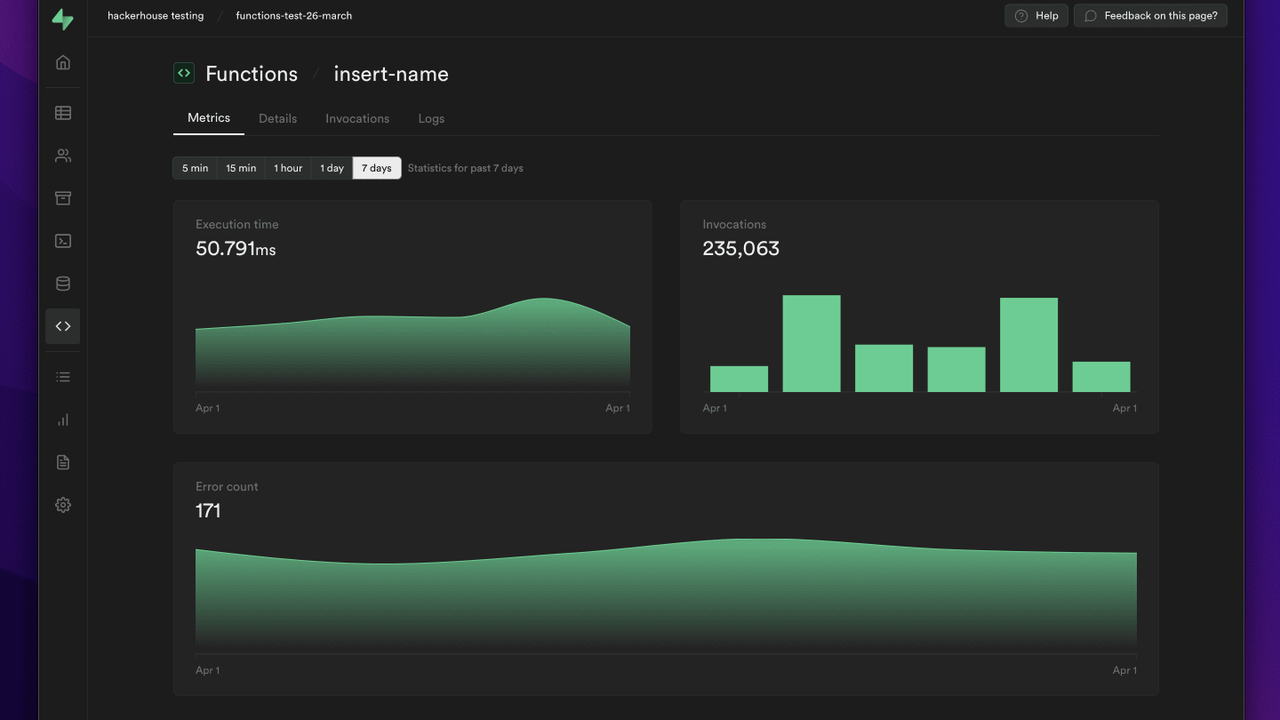
数据库工具让 Agent 列出表、查看结构、运行 SQL、检查行级安全策略。认证工具管理用户和配置。存储工具列出桶和文件。边缘函数工具部署和查看函数。专门的调试分组帮 Agent 通过真实日志和指标诊断慢查询与错误。只读模式在远程 URL 上加一个参数就能启用,Agent 可以随便看,什么都改不了。
核心功能
1. 完整的 Postgres 访问,且有安全边界
Agent 可以列出表、读取结构、对项目运行 SQL,并且遵守行级安全。它看到的数据库和你的应用看到的一样,而不是粘贴到聊天窗口里的一份静态导出。
2. 认证、存储与函数,一个端点全包
一次连接覆盖整个 Supabase 平台:用户管理与认证配置、存储桶和文件、边缘函数的部署与日志。Agent 不用再让你去开四个不同的控制台页面。
3. 只读模式,安全探索
在远程 URL 后面加上只读参数,Agent 可以检查一切但改不了任何东西。这是第一次使用、共享项目,或者任何你还没准备好让 Agent 写的数据库的正确默认选择。
4. 读取真实错误的调试工具
调试分组帮 Agent 通过实际日志和指标找到慢查询、出问题的函数和配错的策略,而不是靠粘贴过来的报错去猜。
5. 分支与笔记本
分支工具让 Agent 在数据库分支上工作,笔记本工具让探索过程有条理。Agent 可以先在分支上试迁移,再碰生产数据。
工作原理
一条命令把客户端连到托管的远程端点,用 Supabase 账号登录,选项目。客户端列出可用工具,Agent 先从文档分组了解当前 API,再碰你的数据。本地使用则用项目引用和凭证运行服务器。
先从只读模式开始。让 Agent 探索结构、回答关于数据的问题、起草迁移。等你信任它了,再切到完全访问,让它应用自己提出的改动。
适合谁用?
在 Supabase 上开发的人、想让 Agent 理解真实表结构而不是过期导出的团队,以及用 AI 助手调试生产数据的人。如果你的后端就是 Supabase,这就是让 Agent 从旁观者变成真正的后端开发者的连接。
价格
免费连接,用你自己的 Supabase 项目(有免费套餐)。MCP 服务器本身不收费,你只为已经在用的 Supabase 项目资源付费。
优点与缺点
优点
- 官方服务器:40 个工具覆盖整个平台,不只是表
- 托管远程端点加 OAuth:一条命令就能连上
- 只读模式,第一次在生产数据上用也很安全
- 调试、分支和笔记本工具超出了简单的增删改查
缺点
- 写权限很强:有完全访问权限的 Agent 可以改数据和策略,所以先用只读模式值得
- 有些功能组需要付费的 Supabase 项目(分支和部分平台功能)
- 本地服务器需要手动配置凭证
上手提示
第一次连接建议先用只读模式。让 Agent 探索表结构、回答数据问题、起草迁移脚本,等你确认无误再切到完全访问。只读模式下 Agent 什么都改不了,是熟悉工具最安全的方式。等你信任它了,再放开写权限。等熟悉了数据库结构,还可以让 Agent 帮你写定时任务和数据清理脚本。
最终评价
如果你的后端是 Supabase,这是第一个该装的 MCP 服务器。它是官方的、积极维护的,能把 Agent 从“问你表结构长什么样的人”变成“能读、能查、能修的人”。先只读,让 Agent 自己挣到写权限。