Supabase MCP
Supabase's official MCP server: databases, auth, storage and edge functions for AI agents.
Install
Transport: both
claude mcp add --scope project --transport http supabase "https://mcp.supabase.com/mcp?features=docs%2Caccount%2Cdatabase%2Cdebugging%2Cdevelopment%2Cfunctions%2Cbranching%2Cfeedback%2Cnotebooks"
Tools (40)
list_tables
List all tables in the database.
list_extensions
List available/installed Postgres extensions.
list_migrations
List database migrations.
apply_migration
Apply a database migration.
execute_sql
Execute SQL queries (destructive SQL asks for confirmation; read-only mode available).
query_logs
Run a read-only SQL query against project logs.
get_advisors
Get security and performance advisors.
get_project_url
Get the API URL for a project.
get_publishable_keys
Get publishable and legacy anon API keys for a project.
generate_typescript_types
Generate TypeScript types from the database schema.
list_edge_functions
List all Edge Functions.
get_edge_function
Get a specific Edge Function.
deploy_edge_function
Deploy an Edge Function.
create_edge_function_secret
Request secret entry in the Supabase Dashboard for an Edge Function.
list_projects
List Supabase projects in the account.
get_project
Get details of a Supabase project.
create_project
Create a new Supabase project (cost confirmation required).
pause_project
Pause a Supabase project.
restore_project
Restore a paused Supabase project.
list_organizations
List organizations in the account.
get_organization
Get details of an organization.
get_cost
Get cost information for a resource before creating it.
confirm_cost
Confirm a quoted cost so creation can proceed.
search_docs
Search the Supabase documentation.
create_branch
Create a database branch (experimental).
list_branches
List database branches (experimental).
delete_branch
Delete a database branch (experimental).
merge_branch
Merge a database branch (experimental).
reset_branch
Reset a database branch (experimental).
rebase_branch
Rebase a database branch (experimental).
submit_feedback
Send feedback about Supabase tools to the Supabase team (disabled in read-only mode).
delete_feedback
Delete feedback using the token returned by submit_feedback.
list_storage_buckets
List Storage buckets (storage group, disabled by default).
get_storage_config
Get Storage configuration.
update_storage_config
Update Storage configuration.
list_notebooks
List project notebooks.
get_notebook
Get a project notebook.
create_notebook
Create a notebook with Markdown, database, and log cells.
run_notebook
Run up to 50 query cells in a notebook.
delete_notebook
Delete a notebook.
Quality and security
Pricing
Free to connect; uses your own Supabase project (free tier available). Read-only mode is available.

Supabase MCP Review: Give Your AI Agent the Keys to Your Backend
Building with Supabase is fast until the agent needs to touch the backend. Tables, policies, storage buckets, and edge functions live behind the dashboard, and the agent cannot see them. You end up pasting schema dumps into the chat and hand-writing SQL the agent could have written itself if it could only look.
Supabase MCP is the official server from Supabase, and it opens the whole backend to the agent: Postgres tables, row-level security, auth, storage, edge functions, and the docs. Version 0.16.1, released in November 2026, covers 40 tools across the platform, with a remote hosted endpoint and a read-only mode for safe exploration. It is the most complete backend MCP server available.
What is Supabase MCP?
Supabase MCP is a Model Context Protocol server maintained by Supabase. It comes in two forms: a hosted remote server that you connect to with one command and OAuth, and a local server that runs with your project credentials. Both expose the same capabilities, organised into feature groups: docs, account, database, debugging, development, functions, branching, feedback, and notebooks.
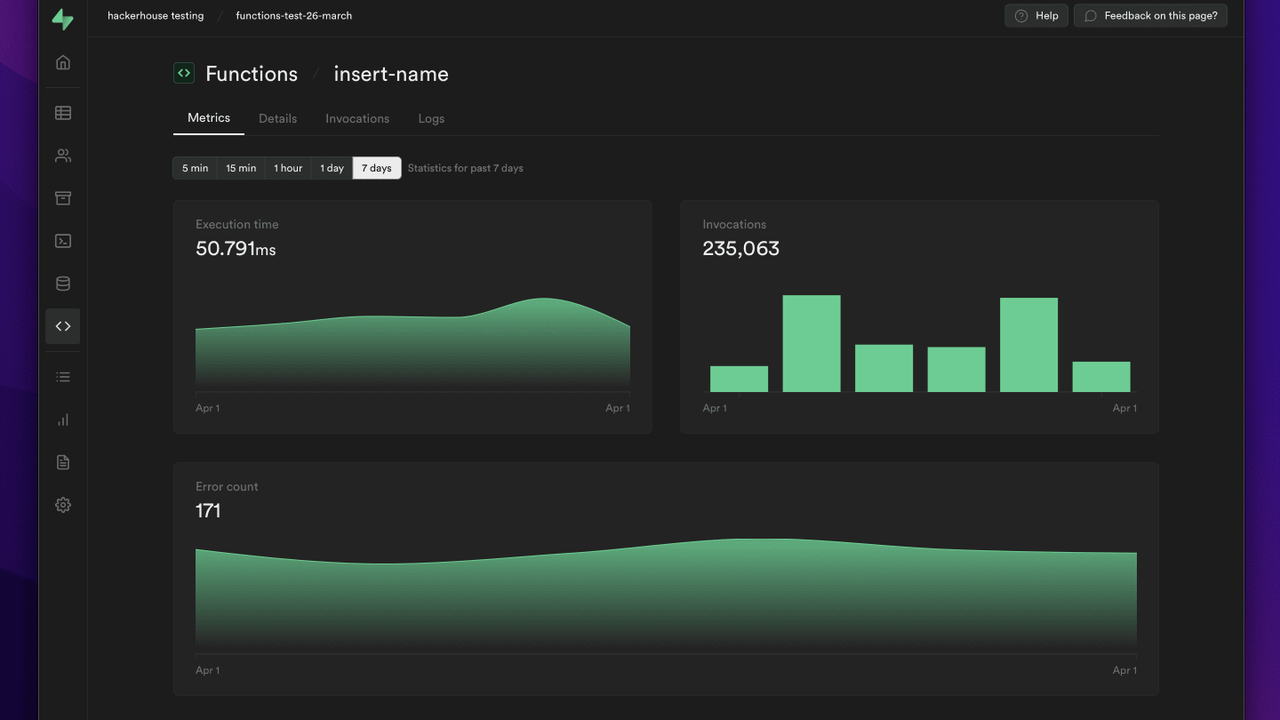
The database tools let the agent list tables, inspect schemas, run SQL, and check row-level security policies. The auth tools manage users and configuration. Storage tools list buckets and files. Edge function tools deploy and inspect functions. A dedicated debugging group helps the agent diagnose slow queries and errors. Read-only mode, enabled with a query flag on the remote URL, lets the agent explore without writing anything.
Key Features
1. Full Postgres access, safely scoped
The agent can list tables, read schemas, and run SQL against your project, with row-level security respected. It sees the database the way your application does, not as a flat dump pasted into a chat window.
2. Auth, storage, and functions in one endpoint
One connection covers the whole Supabase platform: user management and auth config, storage buckets and files, and edge functions with deployment and logs. The agent stops asking you to open four different dashboard pages.
3. Read-only mode for safe exploration
Append the read-only flag to the remote URL and the agent can inspect everything without changing anything. It is the right default for a first session, a shared project, or any database you are not ready to let an agent write to.
4. Debugging tools that read the real errors
The debugging group helps the agent find slow queries, failing functions, and misconfigured policies by reading the actual logs and metrics, instead of guessing from a pasted error message.
5. Branching and notebooks
Branching tools let the agent work against a database branch, and notebook tools keep the exploration organised. The agent can try a migration on a branch before touching production data.
How It Works
Connect your client to the hosted remote endpoint with one command, sign in with your Supabase account, and pick the project. The client lists the available tools, and the agent starts with the docs group to learn the current API before touching your data. For local work, run the server with your project reference and credentials instead.
Start in read-only mode. Let the agent explore the schema, answer questions about the data, and draft migrations. When you trust it, switch to full access and let it apply the changes it proposes.
Who Should Use Supabase MCP?
Developers building on Supabase, teams that want the agent to understand their real schema instead of a stale dump, and anyone who debugs production data with an AI assistant. If your backend is Supabase, this is the connection that makes the agent a real backend developer instead of a bystander.
Supabase MCP Pricing
Free to connect; uses your own Supabase project (free tier available). The MCP server itself costs nothing; you pay only for the Supabase project resources you already use.
Supabase MCP Pros and Cons
Pros
- Official Supabase server: 40 tools covering the whole platform, not just tables
- Hosted remote endpoint with OAuth: one command to connect
- Read-only mode for safe first use on production data
- Debugging, branching, and notebook tools go beyond simple CRUD
Cons
- Write access is powerful: an agent with full access can change data and policies, so read-only mode is worth using first
- Some feature groups need a paid Supabase project (branching and some platform features)
- The local server needs credentials configured by hand
Final Verdict
If your backend is Supabase, this is the MCP server to install first. It is official, actively maintained, and it turns the agent from someone who asks you what the schema looks like into someone who can read it, query it, and fix it. Start read-only, and let the agent earn write access.