Metabase MCP
Metabase's official MCP server: let AI agents search, query and visualise your business data.
Install
Transport: http
claude mcp add --transport http metabase https://{your-metabase-url}/api/metabase-mcpTools (23)
alert_write
Create or update alerts that deliver a saved question's results to email or Slack on a schedule.
bookmark_content
Bookmark or unbookmark a question, model, metric, dashboard, document, or collection.
browse_collection
List or tree-browse the items in a collection, including trash and snippets.
browse_data
Walk databases, schemas, tables, models, and fields to discover data structure.
collection_write
Create or update a collection (rename, describe, move, trash, or mark official).
dashboard_write
Create or update a dashboard with cards, layout, filters, and tabs.
document_write
Create or update a Metabase document (Markdown with card embeds and layout blocks).
duplicate_content
Copy a question, dashboard, or document into another collection, optionally deep-copying dashboard cards.
execute_query
Run a structured MBQL query (counts, sums, grouping, filtering, joins) and return rows.
execute_sql
Write and run raw SQL against a database (window functions, CTEs, engine-specific SQL).
get_content
Fetch full details of questions, models, metrics, dashboards, documents, or collections by id.
get_parameter_values
List the valid values for a dashboard or question filter parameter.
glossary
Look up or list glossary terms and their definitions.
learn
Read Metabase reference docs on a topic (query dialect, visualization settings, native parameters, etc.).
measure_write
Create or update a measure (a reusable aggregation on a table).
metric_write
Create or update a metric (a saved single-aggregation query with a visualization).
question_write
Create or update a saved question or model from a query, SQL, or query handle.
render_drill_through
Render a drill-through chart inline in clients that support visualizations.
run_saved_question
Run a saved question by id, optionally applying parameter values.
search
Search Metabase content (questions, models, metrics, dashboards, documents, tables) by keyword or semantic query.
segment_write
Create or update a segment (a reusable saved filter on a table).
subscription_write
Create or update a dashboard subscription delivering results by email or Slack.
visualize_query
Run a query and render it as an inline chart in clients that support visualizations.
Quality and security
Pricing
Free and open source (AGPL); requires your own Metabase instance (self-hosted free or Metabase Cloud).
Metabase MCP Review: Ask Your Business Data a Question, Get a Chart
Business questions die in the dashboard. Someone asks how sales are doing by channel, and the answer needs a Metabase login, the right question, the right filters, and a screenshot pasted back into the chat. The data is there, but the person asking cannot reach it without a human in the middle.
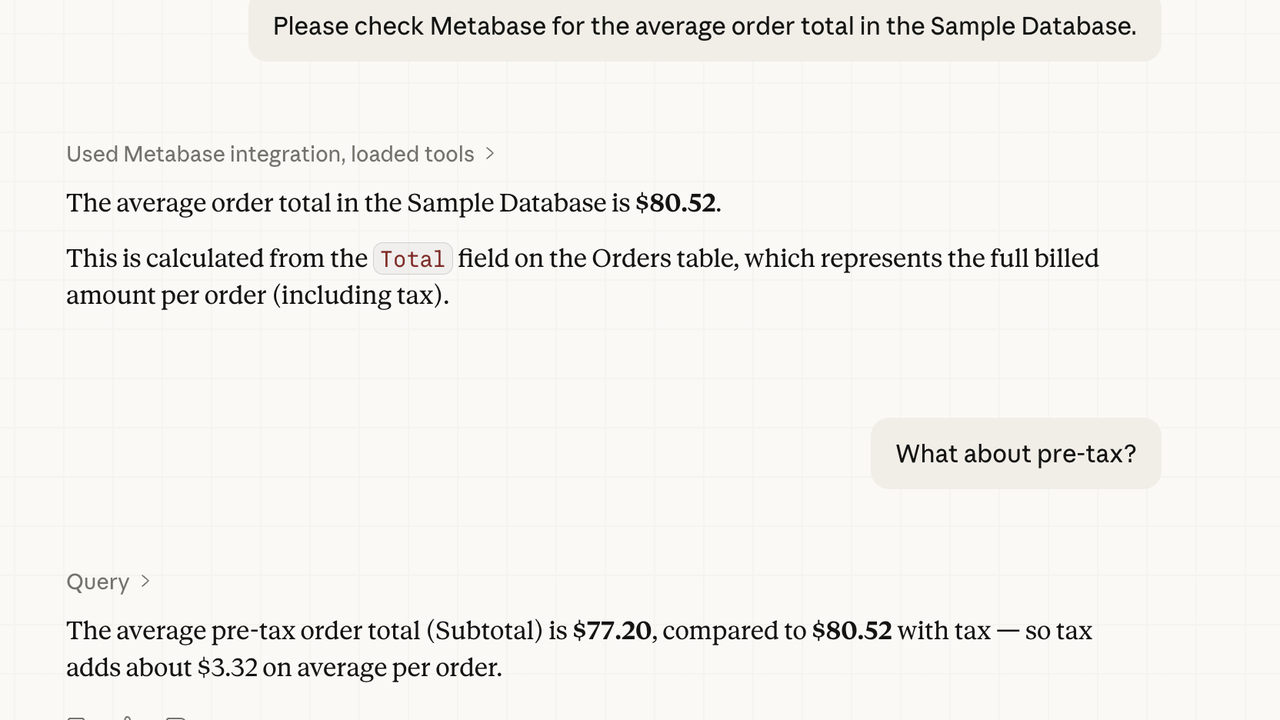
Metabase MCP is the official server from Metabase, and it gives an AI agent direct access to your analytics. Version 0.65.3, released in November 2026, exposes 23 tools over a remote HTTP endpoint with OAuth: search, query, visualise, and write questions and dashboards. The agent reads the question, runs it against your data, and returns a chart. Analytics becomes a conversation instead of a dashboard hunt.
What is Metabase MCP?
Metabase MCP is a Model Context Protocol server maintained by Metabase. It runs as a remote endpoint on your own Metabase instance, at the API path for the MCP server, and it authenticates with OAuth 2.0 per user. The agent only sees what that user is allowed to see in Metabase, because the tools are scoped to the user's own permissions.
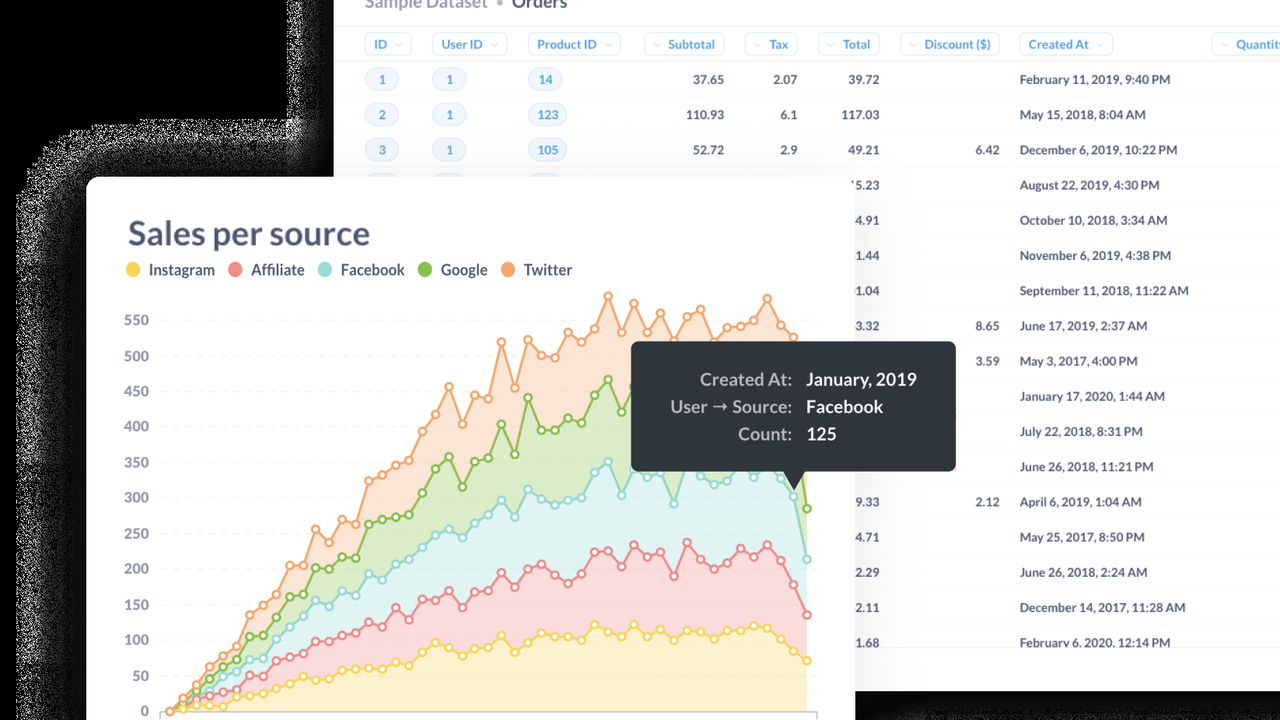
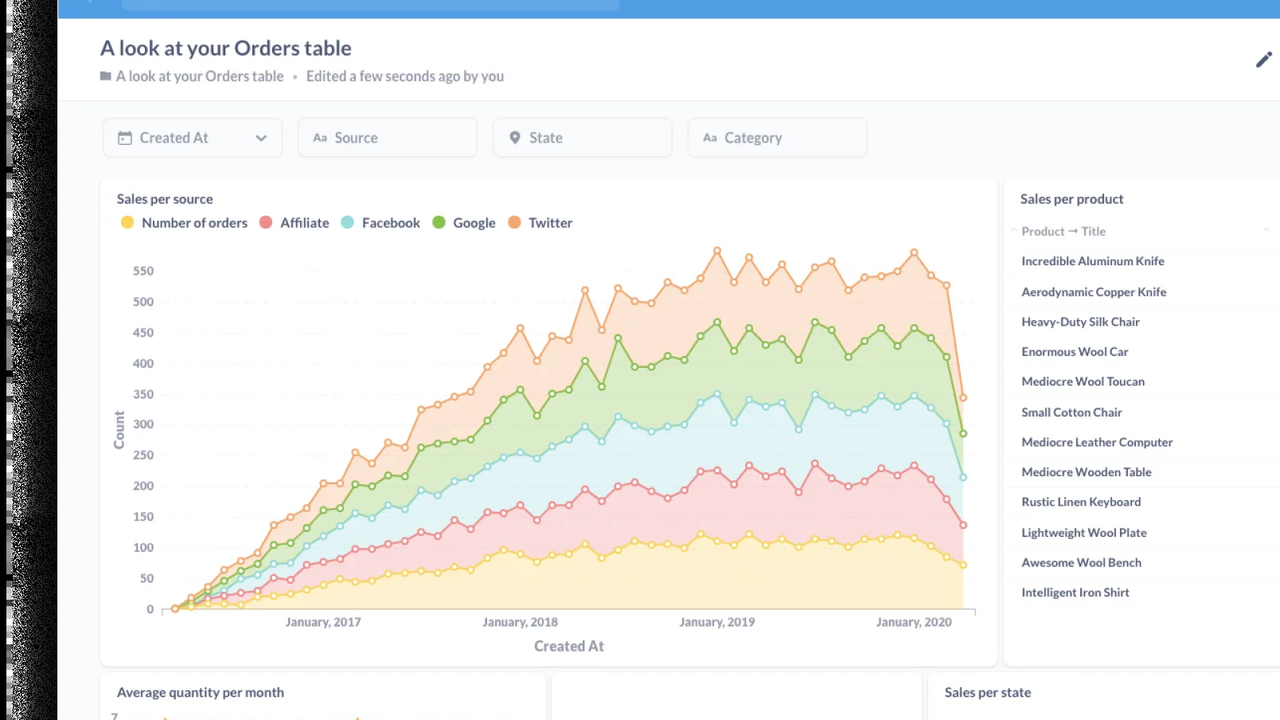
The 23 tools cover the full analytics loop. Search finds questions, dashboards, and collections. Execute tools run a saved question or raw SQL. Visualise renders a chart from a query result. Write tools create and edit questions and dashboards. The agent can answer a question, save the answer as a Metabase question, and put it on a dashboard, all without opening the Metabase interface.
Key Features
1. Search your analytics before asking a question
The agent searches existing questions, dashboards, and collections first, so it reuses work your team already did instead of rebuilding the same chart from scratch.
2. Run saved questions and raw SQL
Execute a saved question by name, or run raw SQL when the question needs something new. The agent works with the data the way an analyst would, not by guessing from a screenshot.
3. Visualise results as charts
Query results can be rendered as charts, so the answer comes back as a picture your team can read at a glance, not a wall of numbers pasted into a chat.
4. Write questions and dashboards
The agent can create and edit questions and dashboards, so the answer it found becomes a permanent part of your analytics instead of a one-off reply.
5. Permissions you already trust
OAuth 2.0 authenticates each user, and the tools respect that user's Metabase permissions. The agent cannot see data the user cannot see, because it inherits the same access rules.
How It Works
Connect your client to your Metabase instance's MCP endpoint and complete the OAuth sign-in. In Claude Code the connection is a single command; in Cursor and VS Code it is a short JSON entry. Then ask the agent a business question in plain language. It searches for existing questions, runs the query, and returns the result, often as a chart.
If the question does not exist yet, the agent can write it, save it to Metabase, and add it to a dashboard, so the next person who asks gets the answer immediately.
Who Should Use Metabase MCP?
Teams that already run Metabase, product managers and founders who ask business questions every day, and analysts who want the agent to do the first pass on a question instead of starting from a blank dashboard. If your data is in Metabase, this is the connection that makes the agent an analyst instead of a bystander.
Metabase MCP Pricing
Free and open source (AGPL); requires your own Metabase instance (self-hosted free or Metabase Cloud). The MCP server itself costs nothing.
Metabase MCP Pros and Cons
Pros
- Official Metabase server: 23 tools covering search, query, visualise, and write
- OAuth 2.0 per-user authentication, scoped to the user's own Metabase permissions
- Answers come back as charts, and can be saved as questions and dashboards
- Very actively maintained: a new release the week this was written
Cons
- Requires your own Metabase instance; there is no hosted analytics to connect to
- Write tools can create, edit, and delete content and run SQL, so access needs care
- The enterprise-directory code in the same repository is under a commercial licence
Final Verdict
If your business data lives in Metabase, the agent should be able to ask it questions. This is the official, free way to give it that access, and it turns analytics from a dashboard you hunt through into a question you ask. Connect it, ask it how sales are doing, and watch it come back with a chart.