Blender MCP
The Blender MCP server: let AI agents model, render and edit 3D scenes inside Blender.
Install
Transport: stdio
claude mcp add blender uvx mcp-for-blender
Tools (9)
execute_blender_code
Run arbitrary Python code in the live Blender session.
look
See the scene from the viewport, camera, multi-angle sheet, or animation strip; also show renders or image files.
get_scene_info
Compact one-line-per-object scene summary with selectable fields; drill in by object or query.
generate_3d
Generate and import a 3D model with Tripo, Hunyuan3D, Hyper3D Rodin, or Meshy from a text prompt or image.
search_assets
Search Poly Haven (HDRIs, textures, models), Sketchfab, and Poly Pizza for assets.
import_asset
Download and import a found asset into the Blender scene, optionally applied to named objects.
get_addon_status
Report Blender version, addon version, and which libraries and generators are enabled.
disable_telemetry
Turn off telemetry/data collection.
record_trajectory_feedback
Record feedback on a captured action trajectory for improving the tool.
Quality and security
Pricing
Free and open source (MIT). Runs locally with your own Blender install.



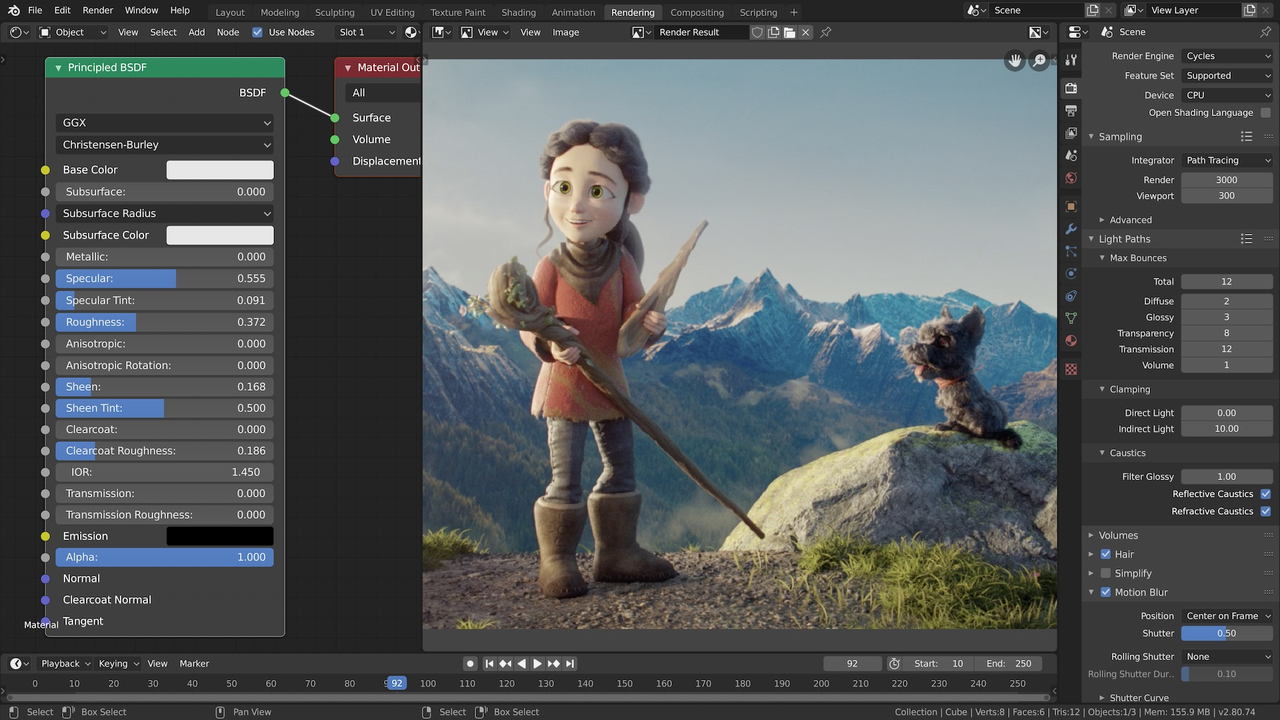
Blender MCP Review: Let Your AI Agent Build the 3D Scene
3D work is slow, manual, and hard to describe in words. "Make the chair a bit taller, move the light to the left, and render it from the front" is a simple sentence, but doing it means opening Blender, finding the right object, dragging sliders, and waiting for a render. The agent can write the code, but it cannot see the scene.
Blender MCP is the community server that connects an AI agent to Blender itself. Version 2.2.7 gives the agent 9 tools: run Python code inside Blender, inspect the scene, look at a render, generate 3D models, search and import assets, and check the addon's status. The agent builds the scene, renders it, looks at the result, and fixes what is wrong. 3D becomes a conversation instead of a modelling session.
What is Blender MCP?
Blender MCP is a Model Context Protocol server maintained by the community, built around the Blender addon that ships with the project. A one-line installer sets up both the server and the addon on macOS and Linux, with a matching installer for Windows. The server runs locally and talks to the addon over a local socket, and your client connects to the server with a single command.
The 9 tools are deliberately small. Execute code runs any Blender Python inside the running application. Look returns a rendered view of the current scene so the agent can see what it just made. Get scene info lists objects, materials, and cameras. Generate 3D creates a model from a text description. Search and import assets pulls models from online libraries. A safe mode disables the code execution tool for cautious use.
Key Features
1. Run Blender Python from the agent
The agent writes Blender Python and runs it inside the live application. Anything Blender can script, the agent can do: modelling, materials, lighting, animation, and rendering.
2. Look at the render, then fix it
The look tool returns a rendered view of the scene. The agent sees its own work the way you would, spots what is wrong, and iterates until the image looks right.
3. Generate 3D models from a description
Describe the object in words and the server generates a 3D model for it. It is the fastest way from an idea to a scene you can inspect and refine.
4. Search and import real assets
Search online asset libraries and import models directly into the scene. The agent can dress a scene with real objects instead of building everything from primitives.
5. One-line install, safe mode included
A single installer command sets up the server and the Blender addon. Safe mode disables arbitrary code execution when you want the agent to look and inspect without running code.
How It Works
Run the installer for your platform, open Blender, and enable the addon. Add the server to your client with one command. Then describe the scene you want: the agent writes Blender Python, runs it, renders the result, looks at the image, and adjusts the scene until it matches what you asked for.
The server and the addon talk over a local socket on your machine. Nothing leaves your computer except the asset searches you ask for.
Who Should Use Blender MCP?
3D artists who want to prototype fast, developers who need a 3D scene for a project but do not model every day, and anyone who has ever wished they could describe a scene in words and watch it appear. If you use Blender and an AI agent, this is the connection that makes the two work together.
Blender MCP Pricing
Free and open source (MIT). Runs locally with your own Blender install.
Blender MCP Pros and Cons
Pros
- The agent can build, render, and inspect a real 3D scene inside Blender
- One-line installer sets up the server and the addon together
- Generate, search, and import tools cover the whole scene-building loop
- Free, open source, and actively maintained
Cons
- Code execution is powerful and unauthenticated on a local socket; use safe mode if you are cautious
- Community project, not an official Blender product; the repository was renamed in 2026
- Needs a local Blender install and a machine that can render
Final Verdict
If you work in 3D, this is the most direct way to let an agent help. It builds the scene, renders it, looks at the result, and fixes it, which is exactly the loop a human modeller runs. Install it, describe a scene, and watch the render come back.