PostHog MCP
PostHog's official MCP server: product analytics, feature flags and experiments for AI agents.
Install
Transport: http
claude mcp add --transport http posthog https://mcp.posthog.com/mcp -s user
Tools (10)
create-feature-flag
Create feature flag
feature-flag-disable
Disable feature flag
experiment-archive
Archive experiment
experiment-calculate-running-time
Calculate experiment running time
error-tracking-assignment-rules-list
List error tracking assignment rules
persons-list
List persons
dashboard-create
Create dashboard
external-data-sources-db-schema
Discover tables and sync methods for a source
get-llm-total-costs-for-project
Fetches the total LLM daily costs for each model for a project over a given number of days.
activity-summary-get
Get your activity summary
Quality and security
Pricing
Free to connect; requires a PostHog account (free tier available).
PostHog MCP Review: Your Whole Product Stack, One Agent Conversation Away
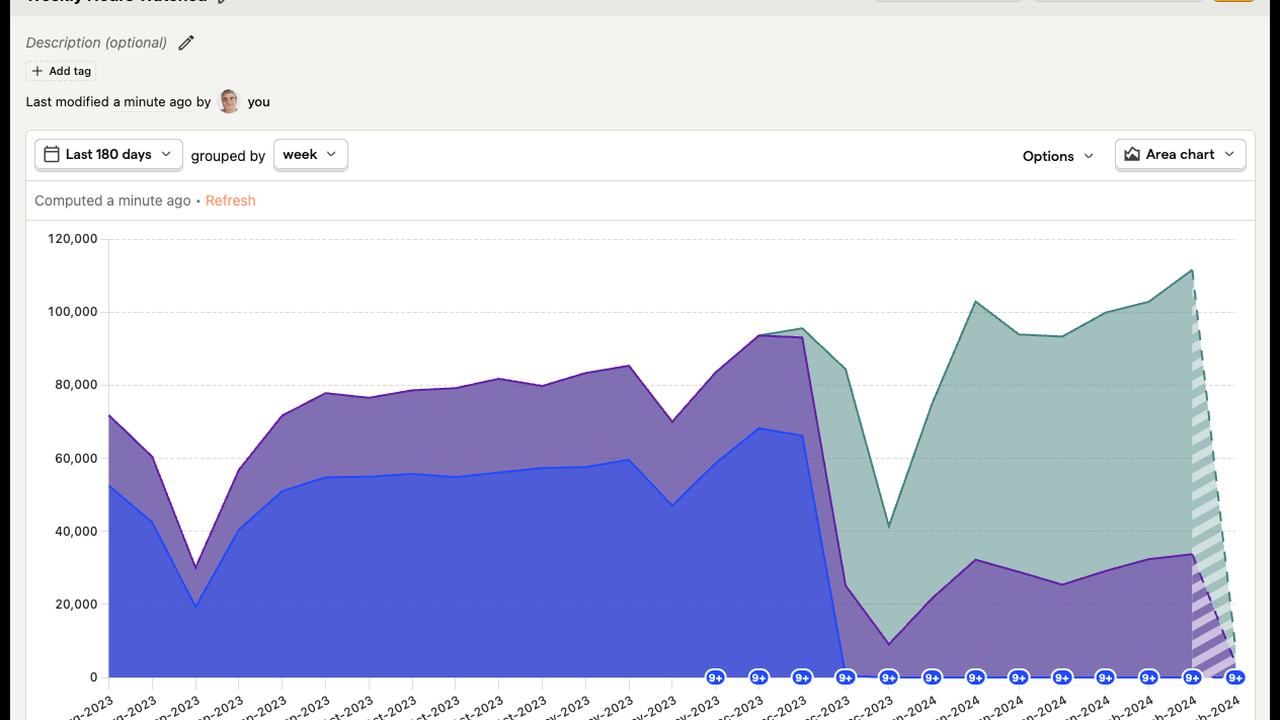
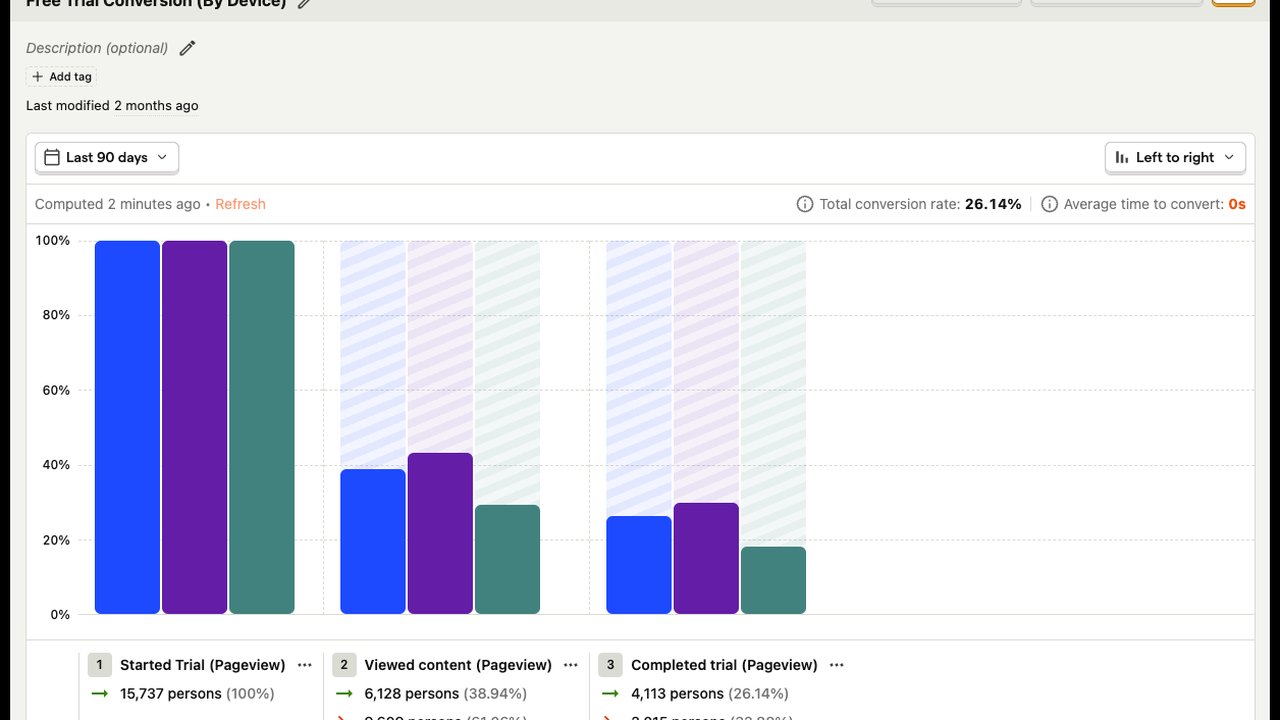
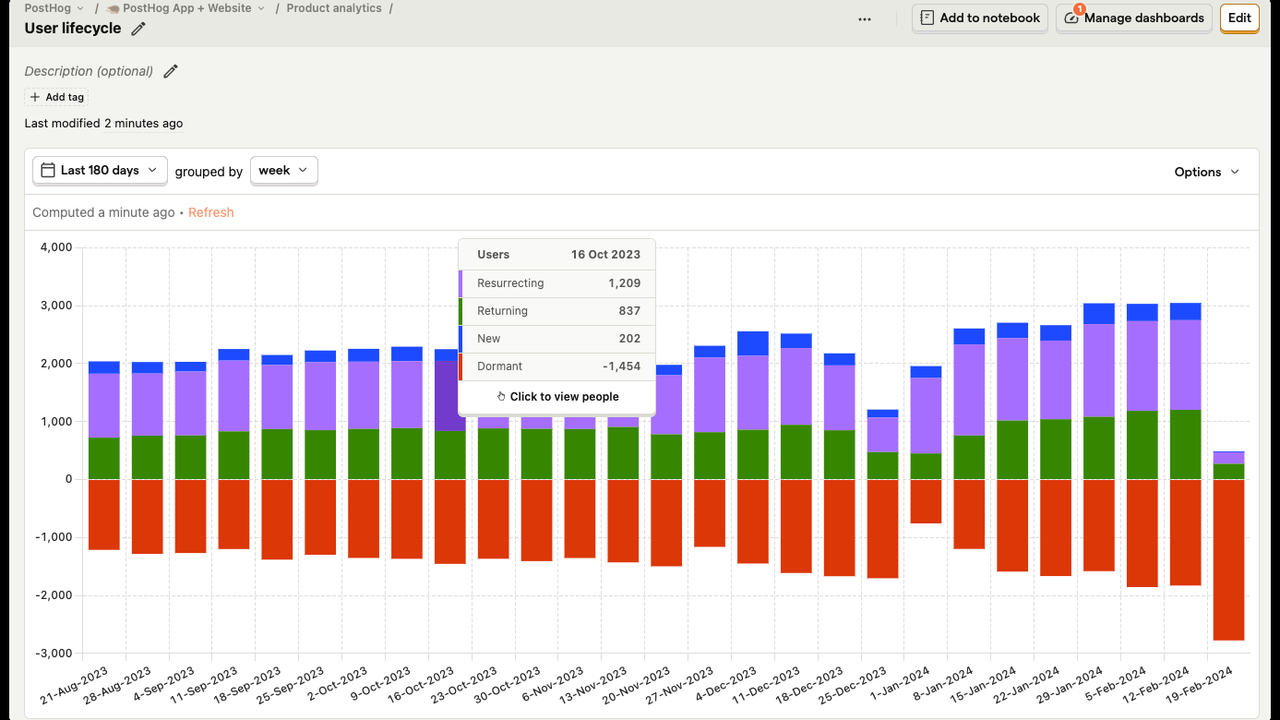
Product work spreads across five tools. Analytics in one tab, feature flags in another, experiments somewhere else, errors in a fourth place, and session replays in a fifth. Answering a simple question like "did the new checkout flow work" means opening all five and stitching the answer together by hand.
PostHog MCP is the official hosted server from PostHog, and it puts the whole stack behind one endpoint. The tools reference lists 1,211 tools in 77 categories: product analytics, feature flags, experiments, error tracking, session replay, data warehouse, and AI observability. The agent logs in with OAuth and can query events, flip a flag, check an experiment, and watch a replay without leaving the conversation. PostHog calls itself the one platform for product, and this is the MCP server that makes that claim real for an agent.
What is PostHog MCP?
PostHog MCP is a hosted Model Context Protocol server maintained by PostHog. There is no package to install and no local server to run: you connect your client to the hosted endpoint with one command or a short JSON entry, sign in with OAuth, and the tools appear. The endpoint routes automatically to the US or EU cloud depending on where your project lives.
The tool catalogue is the largest of any MCP server on this site. It covers analytics queries and insights, feature flag creation and rollout, experiment setup and results, error tracking and assignment, session replay search, person and cohort management, dashboards, notebooks, data warehouse sources, and LLM cost and observability. A wizard command can set the whole thing up for you, and per-client setup pages document every supported client.
Key Features
1. Analytics, flags, and experiments in one place
The agent queries product analytics, checks a feature flag's rollout, and reads an experiment's results without switching tools. A question that spans three products gets one answer.
2. 1,211 tools across 77 categories
The catalogue covers the full PostHog platform, from event queries to data warehouse sync jobs to LLM cost tracking. It is the deepest MCP integration available for a product analytics platform.
3. Error tracking and session replay, too
Errors and replays live in the same endpoint. The agent can find the error, then watch the session that produced it, and tell you what the user actually did before it broke.
4. OAuth login, no keys in config
Authentication is OAuth, so no API key sits in a config file. The agent acts with your PostHog permissions, and you can revoke access at any time.
5. Recipes and a setup wizard
The official docs include more than 20 use-case recipes, from funnel analysis to flag cleanup, and a wizard command that configures the server for your client in one step.
How It Works
Connect your client to the hosted endpoint with one command and sign in with your PostHog account. The client lists the tools, and the agent can start with analytics: ask it what happened after a release, which funnel step loses the most users, or whether an experiment reached significance. For feature flags, ask it to create, enable, or roll out a flag, and it will do it.
Because the server is hosted, there is nothing to update. New PostHog features appear as new tools automatically.
Who Should Use PostHog MCP?
Product teams that already run PostHog, founders who ask product questions every day, and engineers who want the agent to check a flag or an experiment without opening the dashboard. If your product data lives in PostHog, this is the connection that makes the agent a product analyst instead of a bystander.
PostHog MCP Pricing
Free to connect; requires a PostHog account (free tier available). The MCP server itself costs nothing; you pay only for the PostHog usage you already have.
PostHog MCP Pros and Cons
Pros
- Official hosted server: one endpoint for analytics, flags, experiments, errors, and replay
- The largest tool catalogue of any MCP server: 1,211 tools in 77 categories
- OAuth login with no keys in config, and automatic US or EU routing
- Recipes and a setup wizard make the first session easy
Cons
- Write tools are powerful: the agent can change flags, data, and billing-adjacent settings, so use it with care
- The docs warn about prompt injection; treat untrusted content in your analytics with caution
- 1,211 tools is a lot for an agent to choose from; good prompting matters
Final Verdict
If your product runs on PostHog, this is the MCP server to install first. It is official, hosted, and it turns five tabs into one conversation. Connect it, ask it what happened after your last release, and let the agent do the stitching for you.